

You’ve built the whole course. The videos are recorded, the worksheets are done, the checkout works — and now there’s a little empty box on the page labelled “description”, blinking at you. And somehow that one paragraph feels harder than the eight hours of footage you just edited.
Here’s the good news: ChatGPT can get you eighty per cent of the way there in a couple of minutes, if you brief it properly. A course description isn’t a summary of what’s inside your course. It’s a promise about who your reader becomes on the other side of it — and that’s exactly the kind of thing a well-prompted AI draft is genuinely good at roughing out. The trick is knowing what to ask for, and then doing the twenty per cent of editing that stops it sounding like every other course on the internet. This is the sixth stop in our ChatGPT-for-course-creators toolkit — after the curriculum prompts that structure the thing and the marketing prompts that launch it, this one is about the short, decisive copy that makes someone click enrol.
What makes a course description worth clicking?
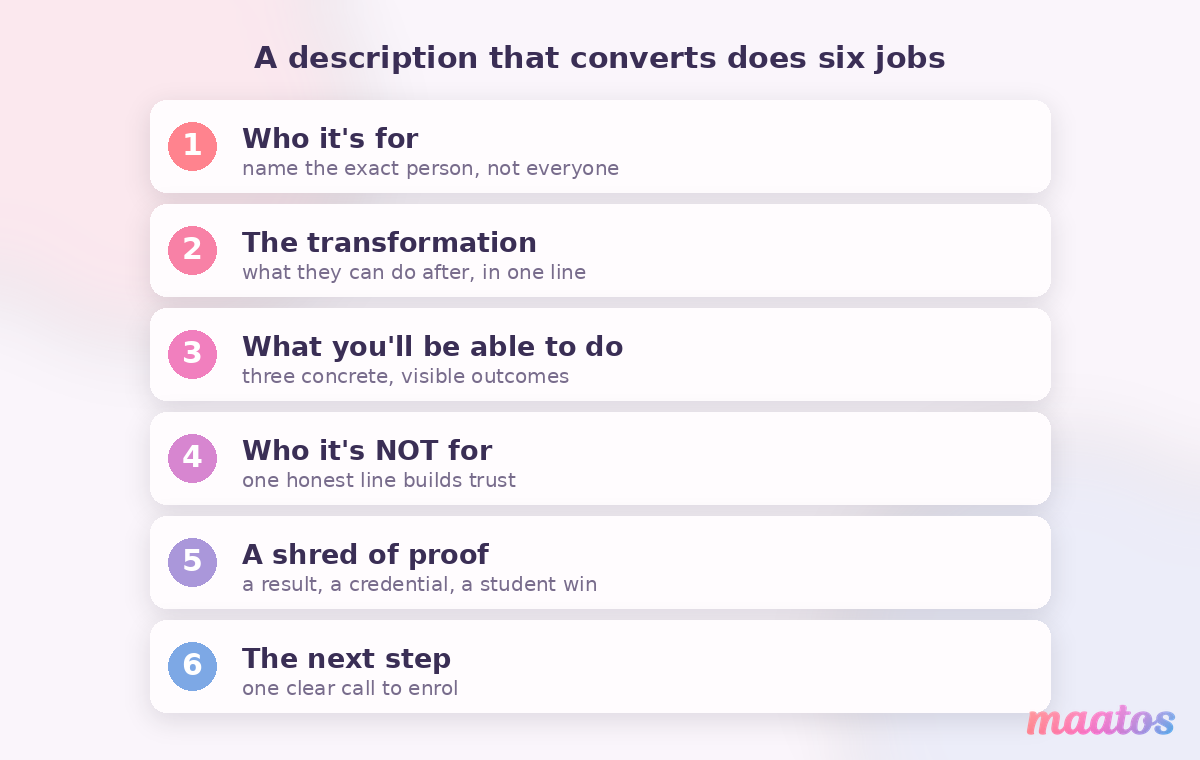
A course description that converts does six jobs in a small space: it names who the course is for, states the one transformation they’ll walk away with, previews what they’ll actually be able to do, handles the obvious “is this for me?” objection, offers a shred of proof, and points to the next step. Miss the transformation and you’ve written a table of contents; miss the “who it’s for” and everyone feels it’s slightly not-for-them.
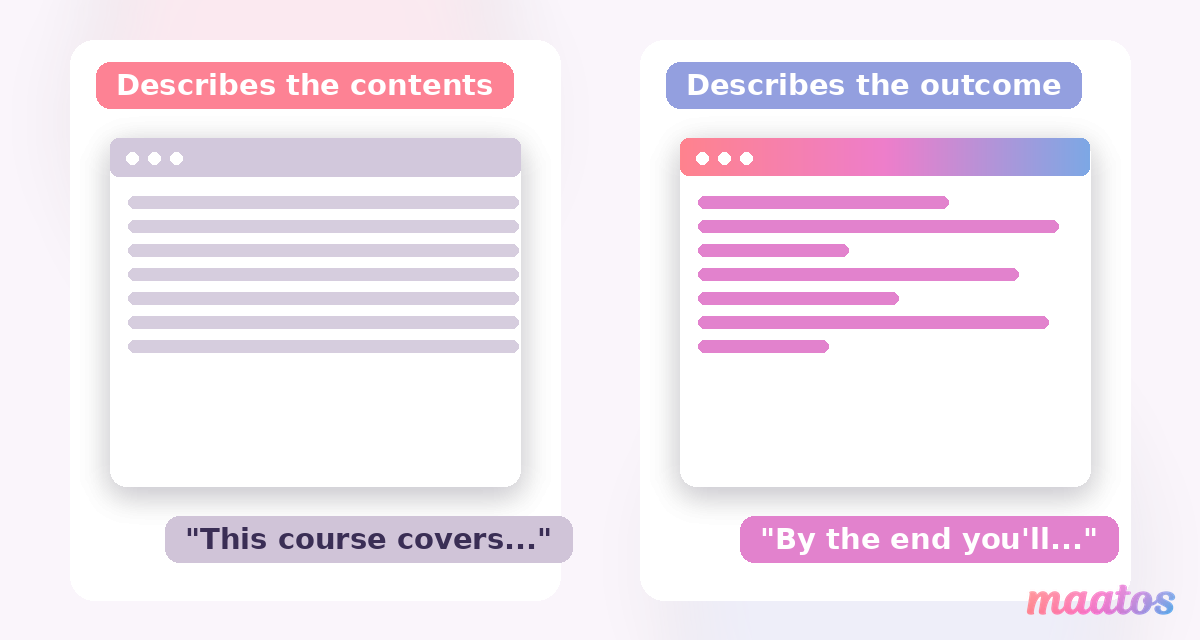
Most descriptions fail in the same boring way — they describe the contents (“this course covers modules on X, Y and Z”) instead of the outcome (“by the end you’ll have a finished, edited podcast episode published on Spotify”). Contents are what you made; outcomes are what your student buys. Keep that distinction in your head and you’ll immediately out-write the majority of listings in your niche.
How do you brief ChatGPT so it doesn’t write mush?
The single reason AI course descriptions come out generic is that people give ChatGPT a generic brief. “Write a description for my Excel course” has nothing to work with, so it reaches for the blandest average of every Excel course it has ever seen. Feed it specifics and it has something to hold on to.
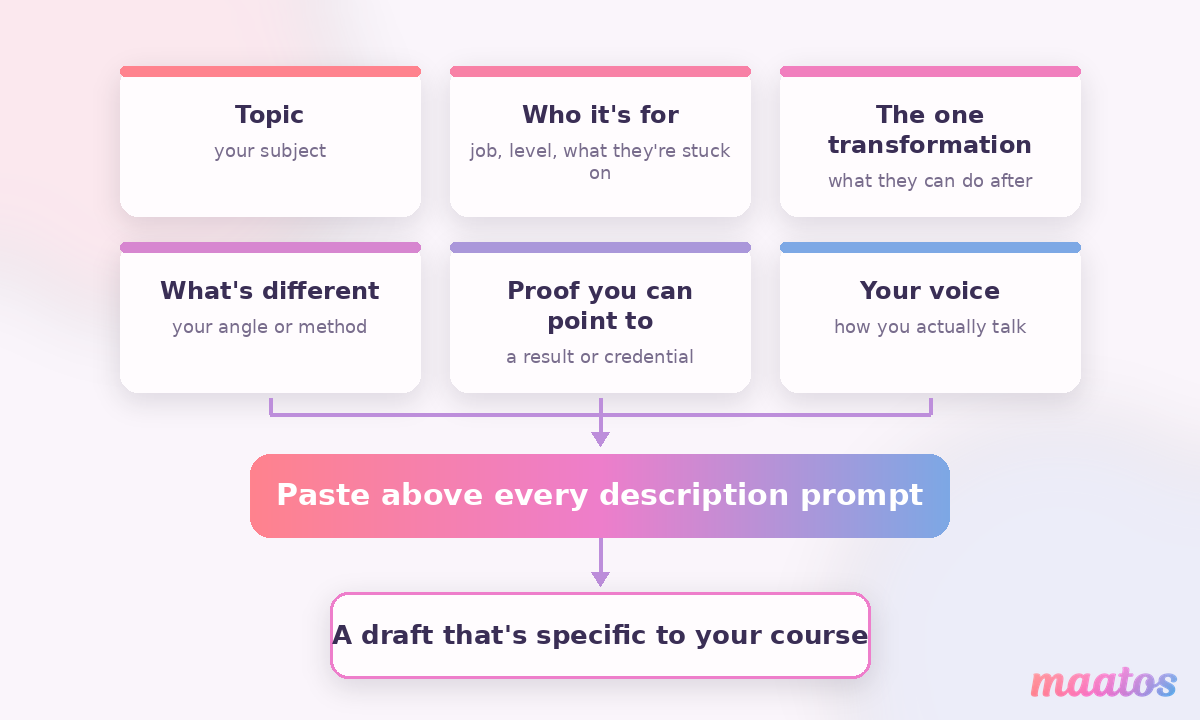
Before you ask for a single word of copy, paste it a short context block. You only have to write this once, and you can reuse it across every prompt below:
I’m creating an online course. Here’s the context — use it in everything you draft.
Topic: [your subject]
Who it’s for: [the exact person — their job, their level, what they’re stuck on]
The one transformation: [what they can do after that they couldn’t do before]
What’s genuinely different about my course: [your angle, method, or experience]
Proof I can point to: [results, a credential, years doing this, a student win]
My voice: [how you actually talk — e.g. plain, warm, no jargon]
That block is doing the heavy lifting. Notice how much of it is stuff only you know — your angle, your proof, the specific person you’re talking to. That’s the part AI can never invent, and it’s precisely the part that makes a description feel written by a human who has done the thing.
The prompts: six you can copy today
Each of these assumes you’ve pasted the context block first. Treat every draft as a starting point, not a finished paragraph — the why it works and make it human notes are where the real quality comes from.
1. The short catalogue blurb
This is the one- or two-sentence line that shows on a course card, a listing, or a hero section — the first thing a browsing visitor reads.
Using the context above, write me five different one-to-two-sentence blurbs for my course card. Lead with the transformation, name who it’s for, and keep each under 30 words. Vary the angle: one outcome-led, one problem-led, one curiosity-led. No exclamation marks.
Why it works: asking for five angles instead of one gives you a menu to react to — it’s far easier to recognise the right line than to write it cold. Make it human: read each one out loud. The winner is usually the one you could imagine saying to a friend who asked what your course does. Cut any that only a marketer would say.
2. The full landing-page description
This is the 150–250-word paragraph (or two) that lives on your course page and carries the actual selling.
Now write the full course description, 150–250 words. Open on the reader’s current frustration, name the transformation, then give three concrete things they’ll be able to do by the end. Add one honest sentence about who this is NOT for. Close on the first small win they’ll get. Write in my voice — plain sentences, no hype words like “unlock”, “elevate”, “dive in” or “take it to the next level”.
Why it works: banning the hype vocabulary up front removes ninety per cent of the AI tell in one instruction, and asking who it’s not for makes the right reader trust you more. Make it human: swap in one real detail the AI couldn’t know — the exact tool you use, a mistake you made early on, the specific result a past student got. One true, specific sentence beats a paragraph of polish.
3. The title and subtitle
Your title is doing more selling than your description — it’s what shows up in search and on the card. It deserves its own prompt.
Give me ten course title options and a matching subtitle for each. Half should be clear-and-descriptive (what it is), half should be outcome-or-curiosity-led. Keep titles under 60 characters so they don’t get cut off in search results. The subtitle should add the specific outcome the title implies.
Why it works: the sixty-character limit keeps your title from being truncated by Google, and pairing every title with a subtitle forces the promise to be explicit. Make it human: pick the clearest one, not the cleverest. A title someone instantly understands beats a pun they have to decode — you can be memorable after you’ve been understood.
4. The “what you’ll learn” outcomes
Those bullet points near the top of a course page are prime real estate, and they’re where most creators lazily list topics. Make them outcomes instead.
Turn my course modules into six to eight “what you’ll be able to do” bullets. Every bullet must start with an action verb and describe a result the student can see or do, not a topic we’ll “cover” or “explore”. Keep each under 12 words.
Why it works: forcing an action verb at the start of every bullet quietly converts a syllabus into a set of promises — the reader pictures themselves doing each one. Make it human: sanity-check each bullet against your actual course. If a lesson doesn’t really deliver that outcome, cut the bullet or fix the lesson. An overpromised outcome is the fastest route to a refund request.
5. The “who this is for” section
A short “this is for you if… / this probably isn’t for you if…” block does more for conversion than another paragraph of features, because it lets the right person self-select and reassures them you’re not selling to everyone.
Write a short “who this is for” section: four “this is for you if…” lines and two honest “this isn’t for you if…” lines. Base them on the level and situation of my ideal student from the context. Keep it warm, not gatekeeping.
Why it works: naming who it’s not for is a trust signal — it tells the reader you’d rather they didn’t buy than buy the wrong thing. Make it human: make at least one “for you if” line oddly specific to your niche. Vague inclusion (“anyone who wants to learn”) reassures nobody; “you’ve opened Premiere Pro, felt overwhelmed, and closed it again” makes the right person feel seen.
6. Rescue a description you already have
If you’ve already got a description that reads flat, you don’t need to start over — hand ChatGPT the draft and direct the edit.
Here’s my current course description: [paste it]. Rewrite it to lead with the transformation instead of the contents, cut every hype word, shorten any sentence over 20 words, and make it sound like someone talking rather than a brochure. Keep all the factual claims exactly as they are.
Why it works: “keep all the factual claims exactly as they are” stops the model from inventing results or features while it polishes the language — a small guardrail that matters a lot. Make it human: compare the two side by side and keep the AI’s structure but your own best phrases. The goal is your description, tightened — not a stranger’s.
Why do AI course descriptions all sound the same?
Because ungoverned, ChatGPT writes to the middle of everything it has read, and course pages are one of the most templated corners of the internet. Left alone it reaches for the same words every time — “unlock your potential”, “take your skills to the next level”, “in today’s fast-paced world”, “comprehensive”, “seamless”, “elevate”, “delve into”. Readers have learned to skim straight past that vocabulary, and increasingly so has Google.
The fix isn’t clever prompting alone; it’s a short editing pass you run on every draft. Read the description aloud — if a phrase would make you wince saying it to a real person, cut it. Delete the hype adjectives and see whether the sentence still stands (it almost always does, and reads better). Replace one generic claim with one specific, true detail. Vary your sentence lengths so it doesn’t have that even, machine-smooth rhythm. This is the same make-it-human discipline that separates a description someone trusts from one they scroll past — and it takes about ninety seconds.
The point of using AI here isn’t to remove yourself from the writing. It’s to skip the blank-page paralysis and spend your energy on the part that only you can do: the specific, honest, slightly imperfect detail that makes your course sound like yours.
Where your description actually lives
A great description only earns its keep if it’s sitting on a course page that shows it off. On your own Maatos platform that description lives on a fully branded course page you control — your colours, your logo, your domain — built with a drag-and-drop editor, so you can drop in the blurb, the outcome bullets and the “who it’s for” block exactly where they’ll be read. Because the platform is integrated with Yoast for SEO, the description you just sharpened also does double duty: it helps your course page rank so new visitors can actually find it. (Maatos doesn’t write the copy for you — that stays your voice, with or without ChatGPT’s help — but it’s where the finished words go to work.)
Frequently asked questions
How do I write a course description with ChatGPT?
Give it a specific brief before you ask for copy: your topic, the exact person it’s for, the one transformation, what’s different about your course, and your voice. Then ask for the blurb, the full description, the title and the outcome bullets separately. Finish with a short editing pass to cut hype words and add one true, specific detail. The brief and the edit are what make it good — the prompt in the middle is the easy part.
What should a course description include?
Six things: who it’s for, the one transformation they’ll walk away with, three concrete things they’ll be able to do, an honest note on who it isn’t for, a shred of proof, and a clear next step. Describe outcomes, not contents — what the student can do afterwards, not just what topics you cover.
How long should a course description be?
The short card blurb should be one to two sentences (under about 30 words). The full landing-page description works best at around 150–250 words — long enough to name the transformation and give concrete outcomes, short enough that a browsing visitor reads all of it. If it’s longer than that, you’re probably describing contents instead of results.
How do I stop my AI course description sounding generic?
Ban the hype vocabulary in the prompt itself (“no ‘unlock’, ‘elevate’, ‘dive in'”), give ChatGPT a specific brief so it isn’t guessing, and always add one detail only you could know — a real student result, the exact tool you teach, a mistake you made early. Then read it aloud and cut anything you wouldn’t say to a friend.
Can ChatGPT write my course title?
Yes, and it’s one of the best uses of AI here — ask for ten options in one go, half clear-and-descriptive and half outcome-led, each under 60 characters so it doesn’t get cut off in search. Pick the clearest, not the cleverest. You’ll recognise the right title far faster than you’d write it from scratch.
Is it okay to use AI for my course description at all?
Completely — as long as the finished words are true and sound like you. AI is a drafting tool, not an author. It shouldn’t invent results, testimonials or credentials, and it shouldn’t replace your voice. Use it to break the blank page and rough out structure, then edit it into something honest and specific. Your reader is buying your expertise; the description just has to sound like it came from you.
Your description is the last thing standing between a curious visitor and your enrol button, so it’s worth getting right — but it isn’t worth a whole afternoon of staring at that blinking box. Rough it out with the prompts above, run the ninety-second human pass, and get it live. If you’d like a branded course page to put it on, you can start building for free and have your description in front of real visitors this week. And if you want to see how the rest of the listing comes together, the Selling Courses hub has the sales page, pricing and funnel pieces waiting.