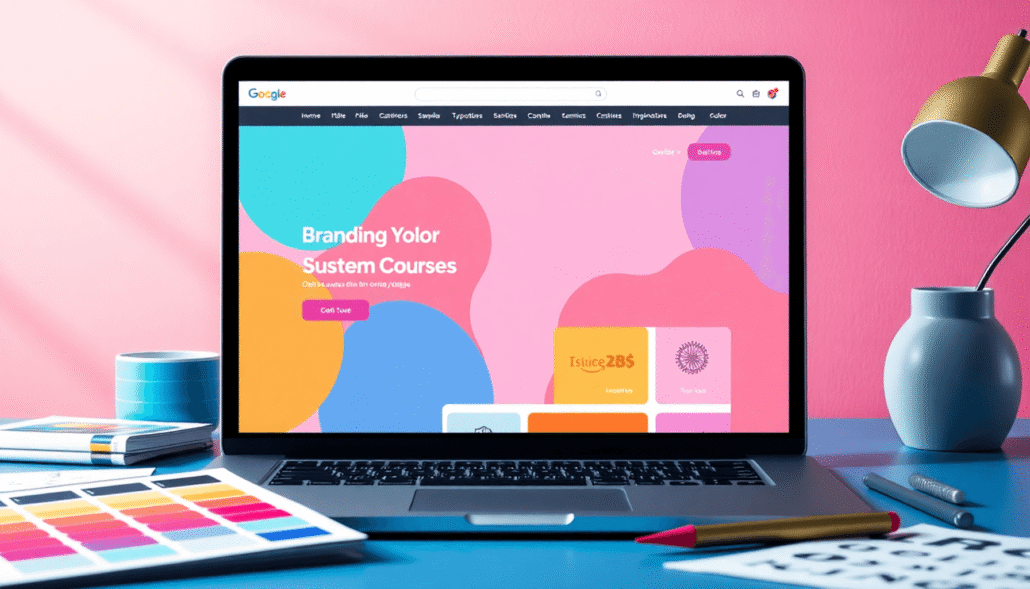
Custom branding for course websites means designing your e-learning platform to reflect your unique identity as a course creator or educator. This involves more than just adding a logo or choosing colors — it requires creating a consistent experience that communicates who you are, what your course represents, and how you want learners to view your offering.
For educators and course creators, branding your course website is not merely an aesthetic decision; it is a strategic tool. It shapes first impressions, builds trust, and influences learner engagement from the moment visitors arrive on your site. In a competitive e-learning market, strong branding helps you stand out by making your course instantly recognizable and relatable.
A well-branded course website delivers several key benefits:
- Enhances credibility by presenting a professional and polished image
- Increases learner engagement through a consistent and inviting user experience
- Strengthens brand recall, making it easier for learners to remember and recommend your courses
Understanding the power of e-learning branding sets the foundation for creating course websites that do more than just host content — they build lasting connections with your audience. To get started on this journey, consider exploring our services that specialize in custom branding for e-learning platforms.
If you’re interested in our offerings or have specific questions, feel free to contact us. Additionally, we provide insights into various course pricing models that convert, which can further enhance your e-learning business.
Understanding Custom Branding for Course Websites
Custom branding is all about creating a unique visual identity that represents you as the course creator or your organization. This visual identity is made up of several key elements, each playing an important role in how your audience sees and understands your course website.
Core Elements of Custom Branding
1. Colors
Colors set the emotional tone and mood of your course website. Choosing a color palette aligned with your brand personality helps learners immediately recognize and connect with your content. For example, vibrant reds and oranges may evoke energy and urgency, while blues and greens suggest calmness and trust.
2. Typography
Fonts communicate subtle cues about professionalism, creativity, or friendliness. Selecting typography that reflects your brand’s character enhances readability while reinforcing your unique voice. A modern sans-serif might suit tech-focused courses, whereas a classic serif font could better fit academic or literary topics.
3. Logos
Your logo acts as the visual cornerstone of your brand identity. Consistent logo placement across all pages builds recognition and credibility. It can be a symbol, wordmark, or combination mark that visually encapsulates what you stand for.
4. Imagery
Photos, illustrations, and icons should resonate with your target learners’ interests and expectations. Authentic imagery strengthens engagement by making content relatable. Using consistent styles — whether minimalist graphics or rich photographic backgrounds — ensures visual harmony.
5. Layout
The arrangement of elements on each page affects usability and aesthetic appeal. A clean, intuitive layout guided by your brand logic supports easy navigation and highlights key information without overwhelming visitors.
Reflecting Course Creator Identity Through Design
Every design choice is an opportunity to express who you are as a course creator. This includes your values, teaching style, target audience, and professional positioning. For instance:
- An innovative educator might adopt bold colors and dynamic layouts to signal forward-thinking approaches.
- A wellness coach could lean toward soft tones and calming imagery to create a soothing atmosphere.
- An established institution may prefer formal typography and structured layouts that convey authority.
Branding becomes the visual language through which you communicate who you are before learners even read a word.
Brand Guidelines: The Backbone of Brand Consistency
Maintaining brand consistency is essential for building trust and recognition over time. Brand guidelines document how to use colors, fonts, logos, imagery styles, and layouts correctly across all digital assets including the course website.
Guidelines prevent mixed messages caused by inconsistent visuals or off-brand elements. They serve as reference points for anyone involved in updating or expanding the site—ensuring every page feels like part of one cohesive experience rather than disconnected pieces.
Brand consistency creates familiarity. When learners repeatedly encounter unified visuals tied to your course offerings, their confidence in your professionalism grows — which can significantly impact enrollment decisions.
The interplay between these core branding elements shapes how effectively you imprint your unique presence on the digital learning space. Strong custom branding transforms a simple course website into a memorable destination aligned perfectly with who you are as an educator or organization.
If you’re looking for assistance in implementing these custom branding strategies effectively on your course website, consider exploring our done-for-you service. We offer tailored solutions that cater specifically to your branding needs. Additionally, for more information about our pricing options for these services, please visit our pricing page.
Key Components of Effective Course Website Branding
Branding on a course website hinges on several critical elements that shape how learners perceive and interact with your content. These components influence first impressions, trust, and the ease with which users navigate your site.
Color Scheme
The choice of colors sets the emotional tone and visual identity of your course. Colors evoke feelings—blue often communicates trust and professionalism, while vibrant reds or oranges can energize and motivate. Selecting a color scheme that matches your brand personality helps create an immediate connection with your audience.
- Use a primary color palette aligned with your brand values.
- Include complementary accent colors to highlight calls-to-action or important sections.
- Maintain sufficient contrast for readability and accessibility.
Consistent use of color strengthens recognition every time learners return.
Typography
Fonts do more than display text; they convey style and mood. Effective typography balances readability with personality.
- Choose no more than two or three typefaces to avoid visual clutter.
- Select fonts that reflect your brand’s tone—modern sans-serifs for a clean, approachable feel; classic serifs for tradition and authority.
- Ensure font sizes work well on all devices, prioritizing legibility.
Typography consistency across headings, body text, and buttons builds a cohesive experience.
Logo Placement
Your logo is the cornerstone of visual branding. Proper placement reinforces identity without overwhelming content.
- Position logos prominently but unobtrusively—often in the top-left corner where users expect it.
- Use high-resolution images to maintain professionalism.
- Avoid resizing or distorting the logo; consistent proportions retain brand integrity.
Repeated exposure to your logo fosters trust and brand recall among learners.
Imagery Selection
Images tell stories beyond words. Choosing the right visuals creates emotional engagement and supports learning objectives.
- Select imagery that resonates with your target learners’ demographics and aspirations.
- Use authentic photos or illustrations aligned with the course topic for relevance.
- Incorporate images that support inclusivity and diversity to broaden appeal.
Balanced use of imagery prevents distraction while enriching content depth.
Layout Design
An intuitive layout guides users effortlessly through your course material. Thoughtful layout design impacts usability and satisfaction significantly.
- Organize content logically using grids or modular sections.
- Prioritize clear navigation menus that reflect how learners think about the course structure.
- Leave sufficient white space to reduce cognitive overload and improve focus on key elements.
Responsive layouts ensure accessibility across desktops, tablets, and smartphones, accommodating diverse user preferences.
Mastering these components empowers you to craft a course website where every visual element contributes purposefully to learner engagement and brand strength.
Functional Branding Beyond Visuals
Custom branding on your course website goes well beyond colors, fonts, and logos. The way you communicate through words, the domain address you choose, and how learners navigate your site all contribute significantly to your course website branding. These elements work together to reinforce your brand identity and create a seamless learning experience.
Personalized Messaging: Tone and Style
The copywriting tone and messaging style on your course website should consistently reflect your unique brand voice. Whether you adopt a friendly conversational tone, a formal professional style, or an inspiring motivational voice, every piece of text—from course descriptions to welcome messages—should feel authentic and aligned with your brand personality.
- Use language that resonates with your target audience’s preferences and expectations.
- Maintain consistency in terminology and phrasing to strengthen recognition.
- Craft clear calls-to-action that encourage engagement without sounding pushy.
Personalized messaging builds trust by making learners feel understood and valued, which can increase their motivation to enroll and participate actively.
Custom Domain Names: Professionalism and Trust
A custom domain name is a critical element in elevating the professionalism of your course website. Instead of a generic platform URL, a personalized domain (e.g., yourbrand.com) does several things for you:
- Instantly signals credibility to visitors.
- Enhances memorability for returning learners.
- Improves search engine optimization (SEO) by associating your brand directly with content.
Using a custom domain also allows full control over email addresses linked to your site (e.g., info@yourbrand.com), reinforcing brand cohesion across all communication channels. This small but powerful step projects an image of reliability and authority.
Tailored Navigation: Reflecting Brand Logic and Usability
Navigation on your course website should mirror the logic behind your brand’s structure and make it easy for learners to find what they need without frustration. Thoughtful navigation design contributes substantially to usability, which impacts learner satisfaction and retention.
Consider these principles when creating navigation tailored to your brand:
- Organize menu items based on how users think about your courses or content categories.
- Use familiar terms consistent with your messaging style rather than generic labels.
- Prioritize important pages like “Courses,” “About,” “Support,” or “Community” in prominent positions.
- Include breadcrumb trails or progress indicators that reflect the learning journey within branded aesthetics.
- Ensure menus are responsive across devices for accessibility anywhere.
A navigation system that aligns with brand logic reinforces clarity and makes the overall experience intuitive, reducing barriers for learners as they engage with your offerings.
Functional branding enhances the connection between you and your learners by extending beyond visuals into how you communicate, present yourself online, and guide users through their learning experience. These elements form a holistic approach that strengthens trust, recognition, and ease of use on your course website.
Tools and Features for Custom Branding on Course Platforms
Course platforms today focus heavily on user-friendly LMS branding tools that let you customize your site without any coding knowledge. This means you don’t have to be a developer or hire one just to get the look and feel you want for your course website.
Drag-and-Drop Builder
- Intuitive interface that allows you to visually arrange elements like text blocks, images, videos, buttons, and forms.
- You can build landing pages and course pages by simply dragging components into place.
- These builders often include pre-designed templates adapted to different course types or industries, giving you a professional starting point.
- Changes happen in real time, so you see exactly how your site looks as you make edits.
No-Code Customization Options
- Beyond drag-and-drop, many platforms offer easy-to-use controls for colors, fonts, spacing, and layout settings.
- Uploading your logo and choosing custom palettes aligns the site immediately with your brand identity.
- Setting up navigation menus that match your brand’s logic becomes straightforward with editable menu builders.
- These features eliminate technical barriers so creators focus on content and design rather than coding syntax.
Empowering Brand-Aligned Course Pages
- Customizable course pages allow you to reflect your branding consistently from landing page through lesson modules.
- You control how multimedia is presented — embedding branded banners or background images that resonate with your learners.
- Call-to-action buttons can be styled to fit your color scheme, increasing click-through rates while reinforcing brand recognition.
- Personalized welcome messages or announcements maintain the tone established in your broader branding strategy.
Platforms equipped with these tools give you freedom and control over every visual detail of your course website. They simplify the creation process while maintaining professional standards essential for building trust and engagement with your audience. These features not only enhance usability but also significantly improve the overall branding experience on course platforms.
Benefits of Custom Branding for Course Creators and Learners
Custom branding does more than just make your course website look professional. It plays a crucial role in credibility building by establishing trust and authority in your field. When learners visit a site that reflects a clear, consistent brand, they instantly perceive the course as reliable and well-crafted. This trust encourages them to invest their time and money.
User engagement rises significantly when the learning environment is cohesive and familiar. A branded website creates a seamless experience where colors, fonts, and messaging align with learners’ expectations. This consistency reduces distractions and keeps learners focused on content rather than navigating confusing or inconsistent design elements.
Marketing efforts become more effective through brand recognition. When your course’s visual identity and tone are consistent across all channels—social media, email campaigns, ads—potential learners recognize your brand easily. This recognition leads to higher click-through rates, better conversion rates, and stronger word-of-mouth referrals.
Standing out in a crowded marketplace requires clear competitive differentiation. Custom branding sets your courses apart by highlighting what makes you unique. Whether it’s a distinctive logo, personalized messaging, or a specific color palette tied to your teaching style or mission, these elements create an identity that competitors can’t replicate easily.
Here are some benefits of custom branding for course creators and learners:
- Builds trust and authority through professional presentation
- Enhances learner focus with a cohesive visual experience
- Boosts marketing success via consistent brand recognition
- Creates unique differentiation from other course offerings
Strong custom branding turns your course website into more than just a platform; it becomes an extension of your professional identity that attracts, engages, and retains learners effectively.
Implementing Custom Branding with Maatos Platform
The Maatos LMS offers a robust, all-in-one solution designed specifically for course creators who want full control over their course website branding. As a branded course website builder, it empowers educators and entrepreneurs to create a distinct online presence that aligns perfectly with their brand identity.
Key features of Maatos support your branding efforts in several ways:
- Secure Hosting: Your course website is hosted securely on reliable infrastructure, ensuring fast load times and data protection. This reliability reflects positively on your brand’s professionalism and trustworthiness.
- Seamless Payment Integration via Stripe: Accept payments effortlessly without extra commissions, allowing you to maintain transparent pricing and smooth customer experience. The integration is fully branded to match your site’s look and feel, reinforcing your brand’s credibility during the checkout process.
- Drag-and-Drop Site Builder: Customize every aspect of your course pages with an intuitive drag-and-drop interface—no coding skills required. Easily tailor colors, fonts, logos, layouts, and imagery to create a cohesive visual identity that resonates with your audience.
- Custom Domain Support: Use your own domain name instead of a generic URL, boosting brand recognition and making it easier for learners to find and remember your site.
- Flexible Course Structuring: Organize courses and lessons in a way that fits your unique teaching style while maintaining consistent navigation patterns aligned with your brand logic.
- Marketing Tools Integration: Connect email marketing platforms, analytics, and other tools seamlessly within the platform to track engagement metrics under your brand umbrella.
Using Maatos LMS as your branded course website builder means you don’t have to compromise between ease of use and professional design standards. The platform’s powerful features are specifically built to enhance course website branding, helping you deliver an engaging learner experience while strengthening your market position.
Best Practices for Maintaining Brand Consistency Over Time
Maintaining consistent branding requires ongoing attention and thoughtful management. Regularly reviewing your visual elements ensures they remain fresh and relevant without losing the core identity your audience recognizes. Here are practical tips to keep your brand aligned over time:
1. Schedule Periodic Brand Updates
Set a calendar reminder to review your website’s colors, typography, logos, and imagery at least twice a year. This review helps you:
- Identify outdated design trends that may no longer resonate
- Refresh graphics or photos to reflect current offerings or seasonality
- Ensure all elements still align with your overall brand personality
Brand updates should enhance recognition, not confuse your audience. Small adjustments like updating images or refining color tones maintain interest while preserving familiarity.
2. Develop Clear Brand Guidelines
Documenting your brand standards creates a reference point for all future content and design decisions. Include details on:
- Approved color palettes and font choices
- Logo usage rules (size, placement, background variations)
- Tone of voice and messaging style
These guidelines act as guardrails for anyone creating course materials or marketing assets, preventing unintentional drift from your established identity.
3. Align New Courses and Content with Your Brand
Every new course launch or content release is an opportunity to reinforce your brand’s look and feel. Ensure alignment by:
- Applying consistent visual templates that use your branded fonts, colors, and layout principles
- Crafting course descriptions and learner communications that reflect your unique voice and messaging style
- Using branded promotional materials that tie back visually to your website
Consistency here boosts learner confidence and strengthens brand recall across multiple touchpoints.
4. Monitor User Feedback and Analytics
Learner input can signal when branding feels out of sync or confusing. Monitor:
- Comments or surveys about the course experience related to site usability or design appeal
- Website analytics showing navigation patterns that might suggest layout issues
Adjustments based on real user data help maintain a seamless experience aligned with expectations.
Brand consistency isn’t just a one-time setup — it demands deliberate, ongoing effort. Staying proactive about brand updates and content alignment preserves the professional image you’ve worked hard to build.
Conclusion
Investing in custom branding on your course website is crucial for establishing a professional online presence that resonates with learners. A well-crafted brand identity does more than just catch the eye—it builds trust, fosters connection, and sets your course apart in a crowded marketplace. When you focus on course website branding, you create a seamless experience that reflects your unique values and teaching style, encouraging stronger engagement and loyalty from your audience.
Consider the impact of taking control over how your course is presented:
- Enhances credibility by showcasing professionalism
- Creates familiarity through consistent visual and messaging elements
- Boosts learner confidence by delivering an intuitive, branded environment
To fully harness these benefits, build branded course website solutions like Maatos offer powerful tools that simplify customization without coding hassles. Features such as drag-and-drop builders, secure hosting, and integrated payment options provide creators with the flexibility to design sites aligned perfectly with their brand vision. This level of control supports sustained growth and adaptability as you expand or update your offerings.
Start exploring how custom branding can transform your educational platform. Leveraging platforms designed for ease and scalability enables you to focus on what matters most—delivering outstanding learning experiences backed by a strong, recognizable brand identity.